Download MeldAmp
Modern desktop music player for macOS
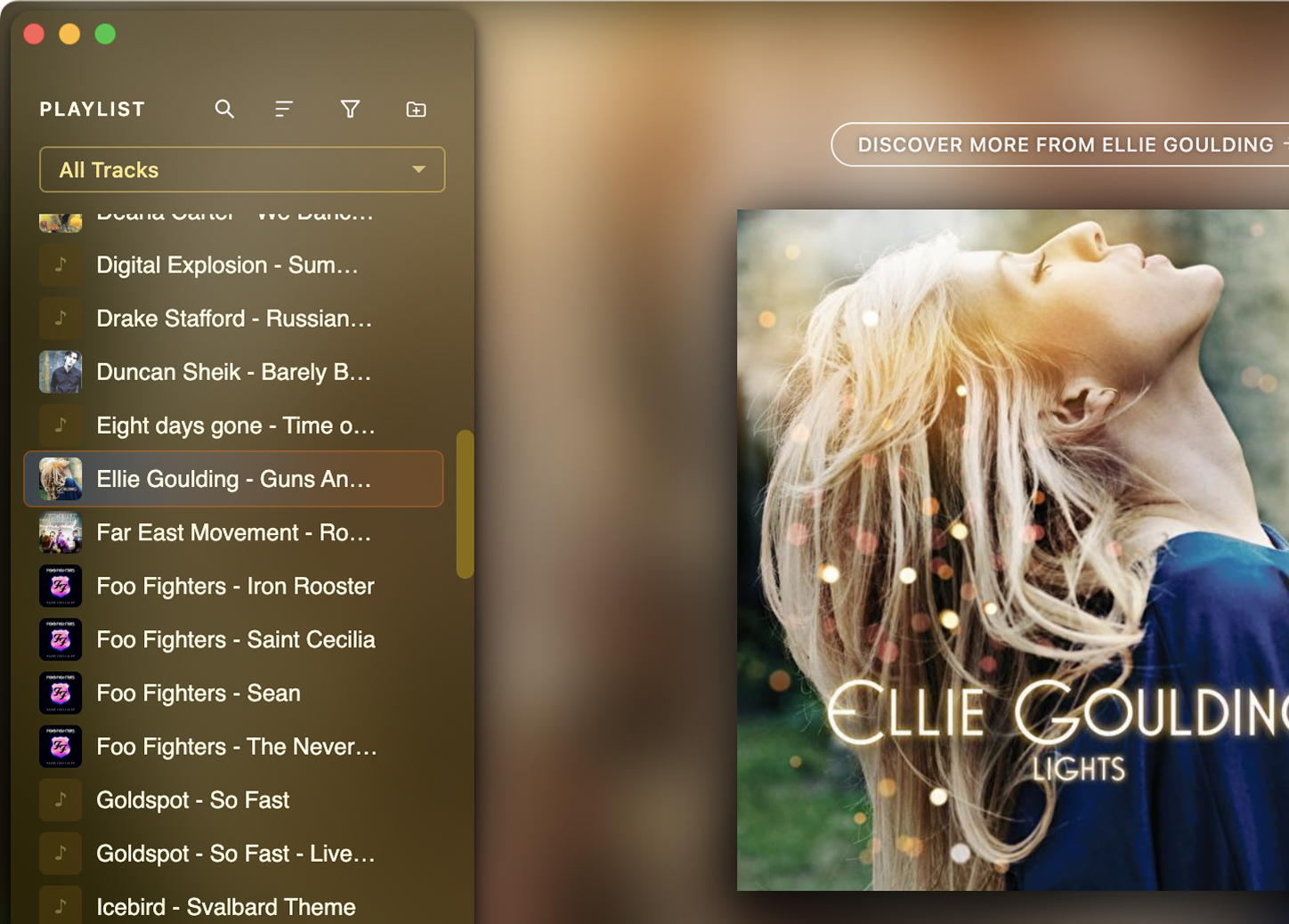
Album art stays front and center while the interface melds to match the artwork.
MeldAmp is a desktop music manager for your local offline library. Your files stay on your machine—no streaming service required—with a modern interface and real tools for browsing, organizing, and listening. Supported formats include FLAC, MP3, M4A, Opus, OGG, and WAV.
Sign-up for beta access!
Free1 during early access period.
MeldAmp
Powerful desktop music manager for local libraries
Supports FLAC, MP3, M4A, Opus, OGG, and WAV.
Play your offline music. Your way
Offline & Private
Play your local MP3s offline on your Mac. No streaming necessary. No account setup needed. No personal info required.
Desktop App
Features you expect from a focused desktop music player—repeat, playlists, and integration with the macOS control center—without turning your library into a streaming service.
Keeping It Simple
Intuitive playback controls with an easy-to-use and uncluttered playlist. No bells-and-whistles to get in the way. Collapse the playlist for an even more compact experience.
Simple. Local. Your Music.
MeldAmp is a modern desktop player for your local library: one window, your tracks, playback under your control.
Install MeldAmp on your Mac desktop or laptop, point it at your music folders, and you're done. No subscriptions, no algorithms, just offline playback and a UI that puts your music first. No account setup, no cloud streaming. Just your music on your machine.
Step 1
Download
Install MeldAmp on your Mac desktop or laptop.
Step 2
Add your music
Point to your MP3 music folder.
Step 3
Hit play, next, previous
Navigate your tracks without the clutter.
Local music, modern app
MeldAmp uses a free-form layout you can arrange to match how you listen—with a contemporary interface and clear controls, not decorative skins from another era.
The app is built around files on your computer: FLAC, MP3, M4A, Opus, OGG, and WAV, with playlists, themes, an equalizer, metadata tools, and the other features highlighted on the site. What you will not find is a built-in streaming catalog, a requirement to put your personal library in someone else's cloud, or social feeds where your listening is the product.
We are not chasing every checkbox in the largest commercial apps; we are aiming for a cohesive, capable player for people who still buy, rip, and curate music locally. No streaming catalog, no accounts required for your own files, no cloud lock-in. If that balance sounds right, welcome aboard.
If you are looking for a different product altogether, we are working on another app separate from MeldAmp. Contact us to be added to the waitlist.
Frequently Asked Questions
How does MeldAmp handle privacy?
MeldAmp is designed to be a privacy-first music player. It collects basic analytics usage data such as features used, launch times, playlist length, and other basic metrics such as operating system and version to help us improve the app and understand how it is being used. See privacy policy for more detail.
Does MeldAmp play cloud-based music?
MeldAmp does not play online or cloud-based music. It plays offline music files that are saved to your desktop. See list of supported audio formats.
What technology stack was used to build MeldAmp?
MeldAmp was built using using Electron. See the Technical Stack page for more detail.